PhotoScan by Google Photos
Google LLC
4.1
AD
Detalhes da Versão
| País do Editor | US |
| Data de Lançamento no País | 2016-11-15 |
| Categorias | Photography |
| Países / Regiões | US |
| Website do Desenvolvedor | Google LLC |
| URL de Suporte | Google LLC |
| Classificação do Conteúdo | Everyone |
AD
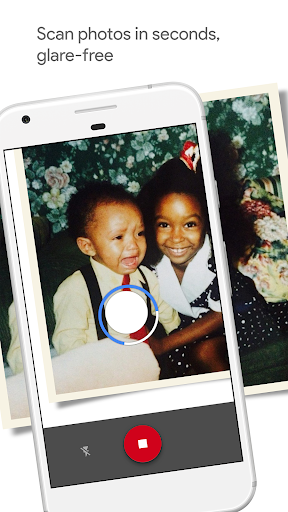
PhotoScan is a scanner app from Google Photos that lets you scan and save your favorite printed photos using your phone’s camera.
Picture perfect and glare free
Don’t just take a picture of a picture. Create enhanced digital scans, wherever your photos are.
– Get glare-free scans with an easy step-by-step capture flow
– Automatic cropping based on edge detection
– Straight, rectangular scans with perspective correction
– Smart rotation, so your photos stay right-side-up no matter which way you scan them
Scan in seconds
Capture your favorite printed photos quickly and easily, so you can spend less time editing and more time looking at your bad childhood haircut.
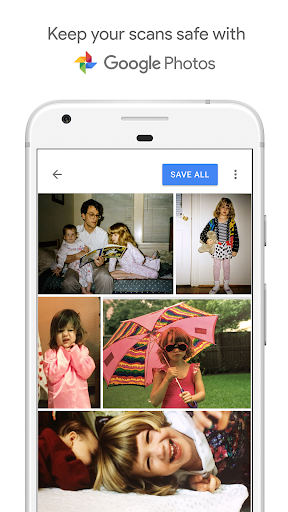
Safe and searchable with Google Photos
Back up your scans with the Google Photos app to keep them safe, searchable, and organized. Bring your scans to life with movies, filters, and advanced editing controls. And share them with anyone, just by sending a link.
Avaliação Média
203.19K+
Desagregação das Avaliações
Avaliações em Destaque
Por Beverly Hoeftman
2024-03-25
Versão 1.7.1.539739820
cross_platform_consistencyMaybe it's a quirk of my phone, but I always have a HUGE amount of glare in every single scan. The results are 100% useless. Also, the step where you have to "move" something to four circles seems as unnecessary as it is cumbersome. It doesn't appear to serve any purpose at all. This was the only free scanning app I could find that doesn't demand access to info it couldn't possibly need. I'll be sticking with my laptop and scanner.
Por A Google user
2019-05-28
Versão 1.5.2.242191532
social_and_communityWorks pretty well. Not a replacement for a printer/scanner, but if you can place a photo in bright light (don't use flash!), without too large an area of glare, you can make a pretty nice, quick scan of a photo anywhere you happen to be. Nice for dropping in on relatives and looking through the family album. Might take one or two tries to eliminate glare and haze.
Por A Google user
2019-03-22
Versão 1.5.1.182070924
localizationApp is incredibly basic and incomplete. First, realize that the quality of the scans are barely acceptable by today's standards! I get lots of blur and double-vision effects. I get better output from a regular camera photo. I'm using a Google Pixel 3, so go figure. As for the basics: After scanning, there is no photo adjustment. No brightness, no color, no rotation. There's no way to LABEL THE PHOTOS!? No way to organize them in folders!? No way to choose storage location/card. This seems half-baked at best.
Capturas de Tela


AD
AD