Smart Printer: Print Documents
DIGITALOOM INC.
3.9
AD
릴리스 세부정보
| 발행국 | US |
| 국가 출시일 | 2024-05-01 |
| 카테고리 | Tools |
| 국가 / 지역 | US |
| 개발자 웹사이트 | DIGITALOOM INC. |
| 지원 URL | DIGITALOOM INC. |
| 콘텐츠 등급 | Everyone |
AD
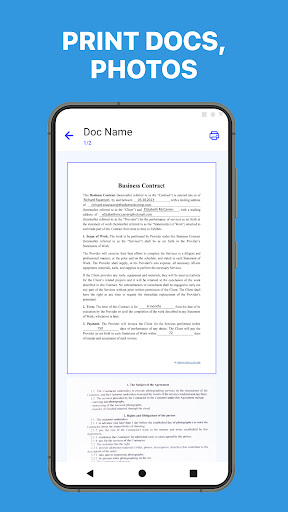
With our Print Master app for Android, you can effortlessly print photos, documents, and more, straight from your phone to virtually any printer. Our app simplifies the printing process, ensuring convenience and efficiency every step of the way.
Print Master is your go-to printing companion, offering a wide range of features to enhance your printing experience. Whether you need to print photos, PDFs, web pages, or Microsoft Office documents, our app has you covered. Say goodbye to complicated printing setups and hello to effortless printing with Print Master.
Key Features:
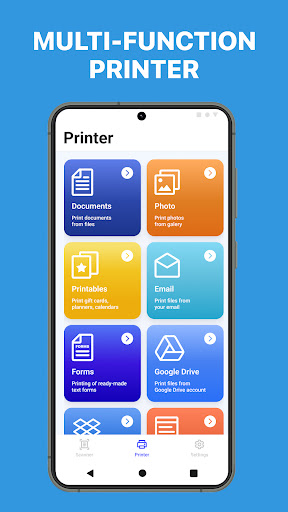
Universal Printing: Print directly from your Android device to almost any inkjet, laser, or thermal printer with ease.
Photo Printing: Print your favorite memories captured on your phone’s camera in high quality, whether they’re JPGs, PNGs, GIFs, or WEBPs.
Document Printing: Print PDF files and Microsoft Office documents (Word, Excel, PowerPoint) hassle-free, ensuring your important documents are always accessible in hard copy.
Multi-Image Printing: Print multiple images on a single sheet of paper, maximizing efficiency and reducing paper waste.
File Compatibility: Access and print various file types, including PDFs, DOCs, XLSX, PPTX, TXT, CSV, and more, directly from your phone.
Email Attachments: Print email attachments effortlessly, ensuring you never miss out on important documents or information.
Web Page Printing: Print web pages directly from your phone’s browser, eliminating the need to transfer content to a computer for printing.
Advanced Printing Options: Preview PDF files, images, and other content before printing, ensuring accuracy and reducing printing errors.
Template Library: Access over 100 templates updated monthly for free, including cards, invitations, calendars, photo frames, and more, to enhance your printing projects.
Supported Printers:
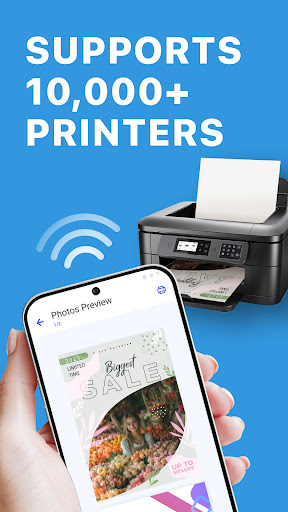
Our app supports a comprehensive range of printer brands and models, including HP, Canon, Epson, Brother, Samsung, Xerox, Dell, Konica Minolta, Kyocera, Lexmark, Ricoh, Sharp, Toshiba, OKI, and more. Whether you’re printing at home, in the office, or on the go, our app ensures seamless printing compatibility across a diverse range of printers.
Experience the convenience of smart printing with Print Master. Enhance your printing experience today with our user-friendly app.
Privacy Policy: https://pp.airprinter.pro/
Tearms of Use: https://tou.airprinter.pro/
평균 평가
86.00K+
평가 내역
추천 리뷰
Azazel 작성
2025-10-21
버전 1.2.9
installation_and_setupcustomer_supportdesignmonetizationUnfruitful and a complete disappointment. This app doesn't have the printer I have in the very long list of compatible printers and not only that, there isn't an option to cancel my subscription service from the settings from within the app, this is an inconvenience. The app's UI interface feels lacking. To print one damn document I was forced to install two other apps as well as provide card information and mentioned document wouldn't print due to the above stated reason(s). I do not recommend.
Zack Mcallister 작성
2025-10-23
버전 1.2.9
paymentmonetizationcustomer_supportintegration_with_other_servicesI got the year subscription as when I opened the app, it said it had connected to my printer and was ready to print and just needed the subscription. I paid the 37DOLLARS, and it says that not only was my printer never connected, but it's not on the compatibility list. Needless to say, im gonna be emailing for a refund and cancelation as it was a scam
Mary Jauw 작성
2025-02-27
버전 1.1.7
offline_functionalitynotificationsmonetizationI searched my printer in the App and got a successful notification asking me to pay for the App, which I did. Now I'm trying to print, and it's just searching, and nothing is found. My first attempts were through my home wifi with both devices signed into it. I also tried to plug in USB to the printer. Both attempts brought the same result, nothing.
스크린샷


AD
AD