CDisplayEx Comic Reader
Progdigy Software
4.8
Release Details
| Publisher Country | US |
| Country Release Date | 2018-04-15 |
| Categories | Comics |
| Country / Regions | US |
| Developer Website | Progdigy Software |
| Support URL | Progdigy Software |
| Content Rating | Everyone |
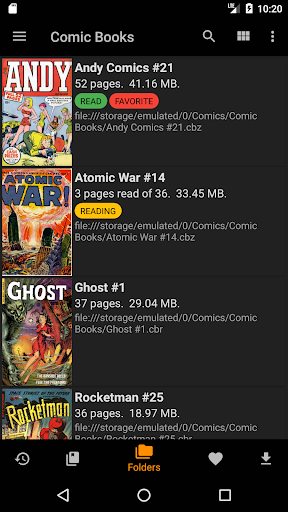
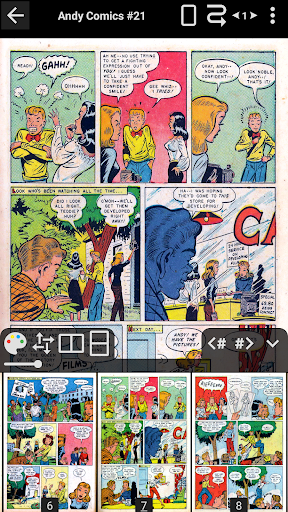
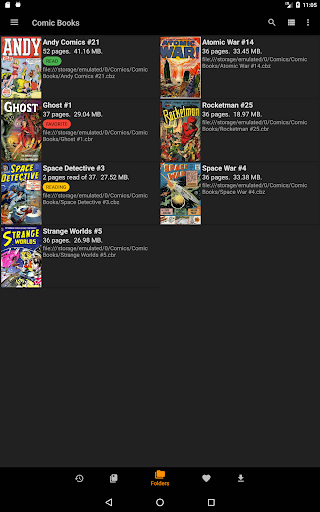
CDisplayEx is a light, efficient CBR Reader, and it is also the most popular comic book reader. It is able to read all comic book formats (.cbr file, .cbz, .pdf, etc…) and Manga. Everything is designed to give you the best reading experience, it load comic books immediately, reading is fluid and comfortable.
Please note that access to Google Drive requires the application to pass a CASA Level 3 Assessment. The cost of this certification no longer allows access to Google Drive. The link will remain available until June 15 for those who are not already blocked. After this date, access to Google Drive will be removed from the application.
Benefits of the Pro version:
- Access to Onedrive, Dropbox, Komga, Kavita, Mega.
- Continuous pages, horizontal and vertical.
- Advanced page scaling options that allow you to pre-set the number of moves to reach the opposite edge of the page.
- Open the files on the network without downloading them entirely (samba).
- Image export function.
- Support for bookmarks.
- S-Pen support.
- Night mode.
- Change the interface language.
- No ads.
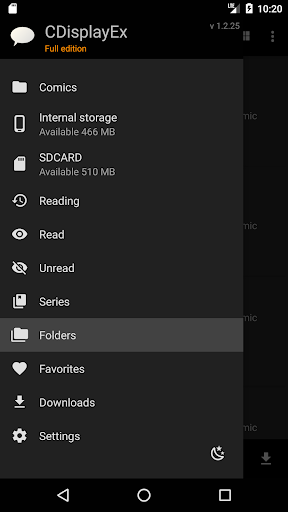
You can simply browse through your folders to find and read your comics, but if you need, the management of your library is integrated! simply indicate where your comics are, and the reader will group the comics by series or offer you the next album to read in your collection. An integrated search will allow you to find a volume instantly.
The reader also allows you to connect to network shares, preload files on your phone or tablet, and perform searches.
Download CDisplayEx Comic Reader
Not Available
Average Rating
7.66K+
Rating Breakdown
Featured Reviews
By Herbert Alton Coddington III
2025-01-21
Version 1.3.85
offline_functionalitypricingAfter trying multiple comic reading apps (all of which had their own pros), this app has been the best overall, with the most features that I find beneficial. Even the free version is great. The only issue I have is that I cant connect it to my Google Drive, but that isn't even the apps fault since Google is the one that restricted access.
By Matthew Rayborn
2025-08-03
Version 1.3.85
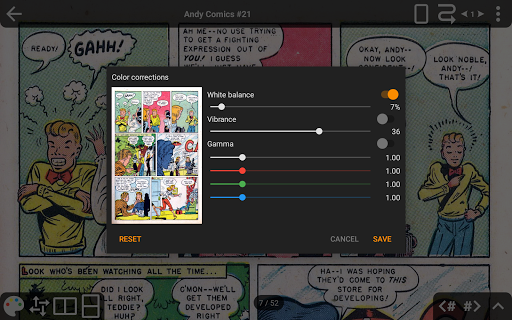
feature_requestscustomizationserviceThis app has all the features you would want literally two taps away. Reading a comic left to right? Easy. Reading a manga left to right? No problem! You can swipe through the pages vertically, horizontally or even scroll infinitely like a webtoon. You can even adjust the colors of your comics. Not to mention it supports almost every format a comic might be in. Even folders full of images!! TL;DR This is the best comic reader on Android coded by people who must read all kinds of digital comics.
By Paul Walcher
2025-08-06
Version 1.3.85
designfeature_requestsserviceA good app for reading comics on an Android device. It can access a file server but I've found it simpler to just store my comics on an sd card. The interface has an issue scroll bar (quickly scrub to any page), page previews, and issue skip buttons. File navigator could have better button placement but it works ok. A couple of sorting options are available but I've found it's better to just sort the files manually in the folders before I access them with the app.
Screenshots