Safe Surfer: Block Porn & Apps
Safe Surfer
3.8
Release Details
| Publisher Country | US |
| Country Release Date | 2017-02-15 |
| Categories | Parenting |
| Country / Regions | US |
| Developer Website | Safe Surfer |
| Support URL | Safe Surfer |
| Content Rating | Everyone |
Built to be simple to use, protecting your device with Safe Surfer is as easy as tapping the Get Protected button.
Safe Surfer is packed full of features to enable you and your family to surf the Internet without fear:
➤ Safer Surfing
Safe Surfer blocks a wide range of pornographic and adult websites. Once protection is enabled, these websites cannot load on your device.
➤ Eliminate Distractions
Sign in to enable blocking 50+ more popular apps and games.
➤ Remote Control (Pro)
Use the web dashboard to remotely block sites and view the device’s browsing history.
➤ Mail Alerts (Pro)
Regularly send blocked sites and screen blackout events to an admin or accountability partner.
➤ Internet History (Pro)
View detailed browsing history stats on the device or remotely.
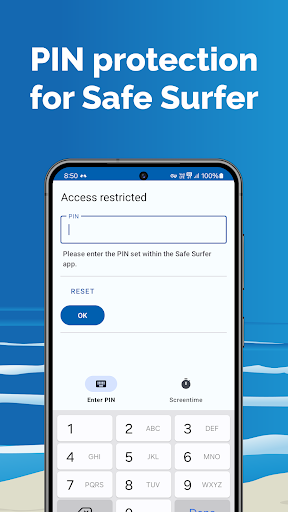
➤ Pin Protection
Built-in pin lock functionality ensures that only you or an accountability partner can configure protection and other settings inside the app.
➤ Prevent Uninstall
With a PIN code, prevent uninstalling or disabling the app without permission from the admin. Requires enabling the Accessibility Service using the checkbox under “enable always-on”.
➤ Screen Blackout
Powered by machine learning, Screencast detection is a new way to deter the viewing of inappropriate content. When Screen blackout is enabled and triggered, a screenshot is taken and stored securely, along with the screen being temporarily blacked out.
➤ Wi-Fi and Cellular protection
Safe Surfer protection keeps your device protected—no matter what kind of network you are connected to.
➤ Zero ads and low resource footprint
Safe Surfer is ad-free and has a minimal impact on your device’s resources.
Notes:
• As a monitoring app, Safe Surfer must be installed by the legal owner and/or custodian of this device solely for personal usage, monitoring a child for which you are a legal guardian, or monitoring employee usage on a device owned by an organization. Using Safe Surfer for other/malicious purposes is stricly prohibited. A persistent notification shows at all times when Safe Surfer is active.
• As a parental control app, we use the Android AccessibilityService API for the sole purpose of stopping device users from uninstalling protection without the permission of a parent (or an accountability partner).
• As a parental control app, we use the Android VPNService API to filter online content according to your settings. This VPN does not change your IP address/country on the internet, nor does it affect your internet speed.
• Some mobile service providers and Internet service providers in certain countries hijack the ability to use specific DNS settings. The Safe Surfer app relies upon this ability. If this is the case in your country with your service provider, the Safe Surfer app may not work properly on your device.
Average Rating
4.92K+
Rating Breakdown
Featured Reviews
By Stephen Foxx
2023-12-28
Version 3.3.6
accessibilityperformance_and_bugsOnce I set the app up and it activated, it went into an endless opening and closing loop that made it impossible to do anything else on the Chromebook. I was able to stop it after several reboots by deselecting "start apps on reboot", but it remains on the computer, waiting to strike again if anyone is dumb enough to click on it. Cannot be removed because of its administrator status. Incredibly frustrating waste of my time. I'd give it negative stars if I could.
By A Google user
2019-02-19
Version 1.8
performance_and_bugssocial_and_communityThis app is great! Your kids can't see anything if they can't get anything! Totally shutdown there phones data, not to mention prevented them from getting/receiving group texts (do to data issues?). Also, the uninstall feature totally doesn't work. If you try to uninstall and then hit back, you can remove administration privileges without having to enter the pin! Then your kids simply have to uninstall the app! If you want something that prevents your kids from doing anything, this app is it!
By Gavin
2024-01-19
Version 3.4.2
contentupdates_and_maintenanceDoesn't block? I don't have the pro version but the on screen detection just darkens the display and puts an eye symbol over it when porn is detected. I was hoping for it to close the app or back out of it. I have reached out to support to see about it, however for free it's very good. I have mixed feelings about handing over the keys to the castle. For it to work well you have to give it all the premissions. But🤷🏻♂️ I can't trust myself so we'll see.
Screenshots