Parental Control FamilyTime
Azizolious
2.6
Release Details
| Publisher Country | US |
| Country Release Date | 2015-05-20 |
| Categories | Parenting |
| Country / Regions | US |
| Developer Website | Azizolious |
| Support URL | Azizolious |
| Content Rating | Everyone |
FamilyTime Parental Control App
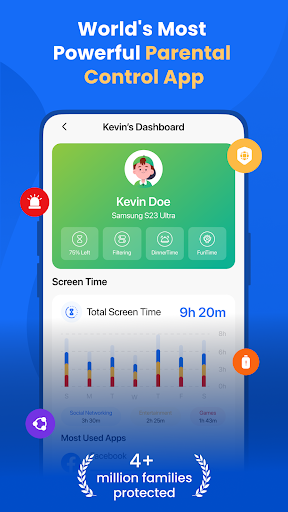
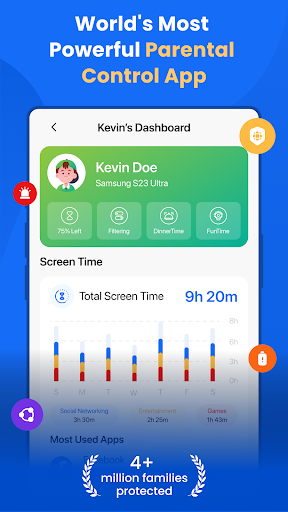
FamilyTime is a parental control app that enables parents to easily manage their child’s screen time by blocking apps and games. Parents can ensure their children’s safe and healthy internet usage with additional features such as location tracking, YouTube and TikTok history monitoring, call and SMS tracking, app usage monitoring, app limits, and family tracking.
A Parental Control App
Set daily or hourly limits on device usage to encourage a healthy balance between screen time and other activities. Quickly approve or lock apps as needed.
Screen Time Schedules - Set a schedule for when your children can access their devices and lock kids’ phones for Dinner Time, Home Work Time, Bed Time. Parents can also create a custom schedule.
Daily App limits - It will block the apps/games once their time limit for the day is reached. You can also set the individual app limit.
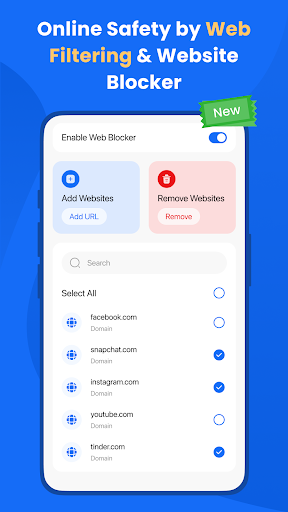
Web Blocker – Parents can ensure their child’s safety in the digital world by blocking unwanted websites by creating a block list.
FamilyPause - Instantly Locks the device. That’s perfect when you feel they should disconnect from their Android devices.
Web filtering - Block inappropriate websites and content to ensure a safe browsing experience. Enforce safe searches on search engines like Google and Bing to filter pornography and adult content.
Approve Apps - Parents have the leverage to approve or reject any app installed by kids on their phones.
A Parental Monitoring App:
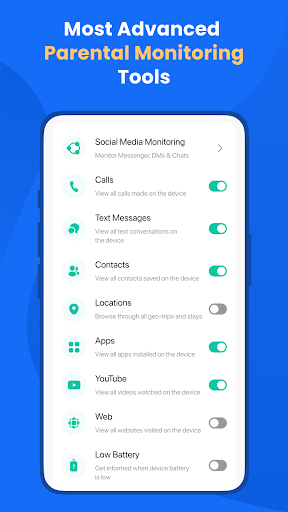
Family Locator and GPS Tracker - The all-new Family Locator is a mobile GPS tracker conveniently built into the core of the FamilyTime App. Keep track of your kid’s location and receive real-time location updates directly to your phone.
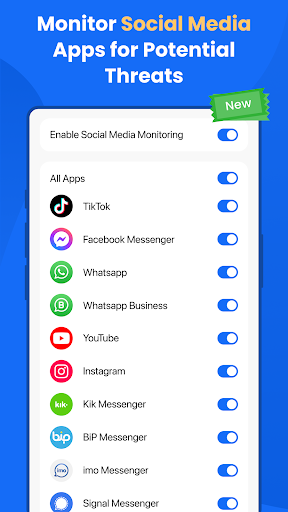
Social Media Monitoring - Keep an eye on your child’s social media activity for potential issues like cyberbullying or inappropriate content.
Call and SMS Monitoring - Tracking your child’s communications, including calls and text messages, is integral to parental monitoring.
Geofencing - Set up virtual boundaries and receive notifications when your child enters or exits these predefined areas.
SOS/Panic Button - Include an emergency button that allows your child to quickly notify you or other trusted contacts in case of an emergency.
Why FamilyTime is the Best Parental Control App:
✓ 30-day reporting history
✓ Priority live support
✓ Invite another guardian to supervise for free
✓ Free access to new features
✓ Link more devices for full family mode
✓ Privacy protection and GDPR compliance
✓ Data security and safety with end-to-end encryption
Download the FamilyTime Parental Control App on your Android device. Then, download the FamilyTime Jr. app on your child’s device(s). This app will allow you to easily manage your child’s daily screen time allowance across platforms.
FAQ:
• Is there any fee for installing FamilyTime App on a parent device? Absolutely not! It is free for all parent devices. You can install our app on multiple parent’s devices without paying a dime!
• Which OS Does the app work on? FamilyTime supports Android 8 or higher
• What languages do you support? App is available in English, Spanish, French, Italian, Portuguese, German, Japanese, Turkis, Finnish, Arabic, and Chinese.
Try it for Free
Enjoy a 3-day free trial with FamilyTime after paying the minimum fee for an annual subscription.
Note:
We take your privacy very seriously, and please read our
➠ Privacy Policy at https://familytime.io/legal/privacy-policy.html
➠ Terms and Conditions at https://familytime.io/legal/terms-conditions.html
Average Rating
11.93K+
Rating Breakdown
Featured Reviews
By Nathan (Nate)
2025-09-24
Version 5.3.3
paymentcustomer_supportserviceLet me start with a warning, do not set up auto pay. There's no way on the app or website to cancel your subscription. I needed the app for my kids but they learned very quickly how to get around it. Before the first year was up I looked everywhere to find how to cancel the subscription but couldn't find anything. I emailed customer service about the issue only to get auto nonsense responses that didn't help at all and you won't even get a response until a month later. I can't even get a refund.
By B H
2025-08-02
Version 5.3.2
securityperformance_and_bugscustomer_supportI will start with the worst part. My child was able to easily delete this app! Click uninstall->notification at the top->admin->uninstall. This shouldn't be that easy by default, cmon! It never alerted me either. I also never got this app to work properly. It wouldnt track any usage-always showed 0% even tho it was in use. The part that allowed locking worked though. Their support is really responsive and tries to help. They suggested downloading via a link sent but our device wouldnt allow it.
By A Google user
2020-01-05
Version 3.0.1.240
performance_and_bugssocial_and_communityupdates_and_maintenanceThis app lets me lock down my kid's phone without having to physically possess it. And when she is not showing the maturity to make good choices, I can "help". Edit: With an update the app has become glitchy and less reliable to sync. Was also promised a discount which I am now being asked to prove, months later. I'm done and looking for something more "real-time"
Screenshots