DS Camera Scanner & Photo
TrustedOffice
3.7
AD
Release Details
| Publisher Country | US |
| Country Release Date | 2020-10-09 |
| Categories | Business |
| Country / Regions | US |
| Developer Website | TrustedOffice |
| Support URL | TrustedOffice |
| Content Rating | Everyone |
AD
An all-in-one scanner app to scan documents, convert to pdf, extract text from image and edit your files. With DS Camera Scanner & Photo, you can turn your phone into a powerful, easy-to-use PDF converter and document scanner that meet your needs.
MAIN FEATURES OF DSCANNER: CAMERA SCANNER
📝 A Smart Document Scanner
DS Camera Scanner & Photo is a powerful tool to help you scan documents, or digitize all kinds of paper documents. Whether you want to scan PDF, text files, excel sheets, or images, our document scanner application makes it easy.
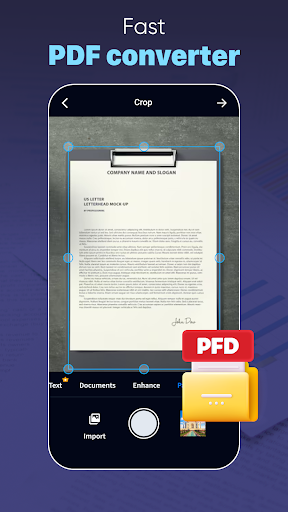
Simply scan your files with our camera scanner or upload your documents. The scan camera will automatically detect document edges, ensuring perfect alignment and clarity in every scan.
📘 Fast PDF reader and PDF Converter
In just one scan, our app will help you open and view your PDF documents. Feel free to scroll, zoom in and out your PDF scan.
On top of being a PDF viewer, our file scanner also helps you scan to PDF. Whenever you’re ready with your scanned documents, you can convert photo to PDF within seconds. This PDF creator is easy to use, time-saving and handy.
Let’s streamline your workflow and productivity on the go with the help of PD converter.
📜Image to Text Scanner
Leveraging advanced OCR technology and smart camera scanner, the scanner app allows you to effortlessly scan and convert PDF to text, photo to text or any type of documents into editable text.
It’s time to scan to text, turn your printed reports, handwritten notes, book pages into digital text with simple taps. This OCR PDF to text feature saves you time and ensures precision in converting your physical documents into editable digital files.
✏️Comprehensive Document Editor
After scanning your documents with this paper scanner, take advantage of the comprehensive editing tools our doc scanner offers.
Edit text for accuracy or change of content
Scan in color, grayscale, or black & white
Crop scanned images to focus on the essential parts
Rotate images to make sure documents are perfectly aligned
Draw, or import signature with just one click. Edit and sign PDF signature with ease. You can also rotate and scale your e-signature
Multiple levels of contrast for crisp monochrome texts
Thumbnail or list view, sort scans by date or title
Once you’ve perfected your document, DS Camera Scanner & Photo allows you to save and share your files easily. Keep your files organized and let’s share them via email or social media.
DS Camera Scanner & Photo is your all-in-one solution for efficient document management. Let’s streamline your workflow, save your time and become more precise and professional with this app.
If you have any questions or recommendations while using our app, feel free to reach out to us via contact emails. Have a nice day!
Average Rating
161.85K+
Rating Breakdown
Featured Reviews
By Kerri Wickhorst
2022-04-08
Version 3.7.3
social_and_communityfeature_requestsmonetizationperformance_and_bugsUninstalling -- don't waste your time with this one! Only a 3 day trial, should be the standard 30 days, like most apps, plus I installed this app for one purpose, to scan my handwritten poetry written since I was 14 years old, before the paper crumbles into dust, you have to sign up for the free trial just to turn handwriting into text, and I'm low income, almost $63 a year, they should have a monthly rate, that's a huge amount to have to pay upfront for me!
By Jodi Brochno
2023-03-25
Version
advertisementsUninstalled. 3 use trial. Useless app, does not recognize text very well. You have to edit the note a LOT to make it useful. Does not provide a nice document like the ad says. Oh, and the ads! You can't scan a single thing without watching a 15sec ad. That's on top of the constant ads on screen. Don't waste your time. There are better options.
By Jason Daigle
2025-08-13
Version 4.5.5
localizationI haven't fully tried the app yet but when it comes to the language selections it shows a few different countries is English and the reason why I'm saying this is because no matter what English it is temperature in Canada UK us or anything with English it doesn't make any difference it's the same English so why is it different country kind of English is beyond me because we all speak the same so try better when making an app that has nothing to do with language barrier or country barrier
Screenshots


AD
AD