Splashtop Personal
Splashtop
4.5
AD
Release Details
AD
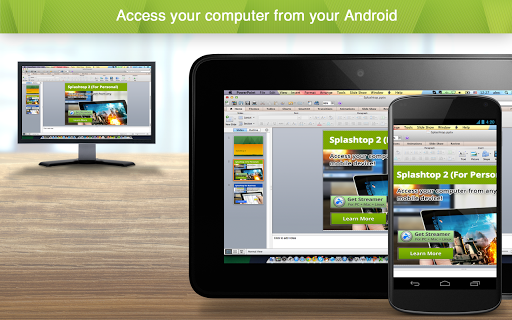
Remotely access your desktop computer from anywhere to enjoy games, movies, and music on the go.
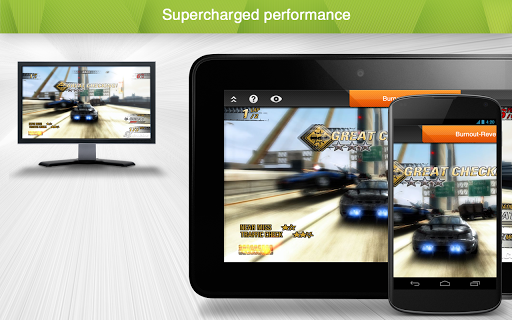
Enjoy high-definition audio and 4K video streaming in real-time by remotely accessing your powerful main computer from your mobile device. Simple to set up and use, you’ll be able to access games, videos, and music just as you were sitting in front of your computer. Built with performance and security in mind, you’ll have a seamless, secure experience every time.
Experience Splashtop Today!
1) Download the personal app on the device you would like to connect from
2) Create a Splashtop account
3) Download the streamer (splashtop.com/streamer) on the computer you would like to connect to
4) That’s It! Login and start your session!
Key Features:
- Access everything from anywhere, anytime
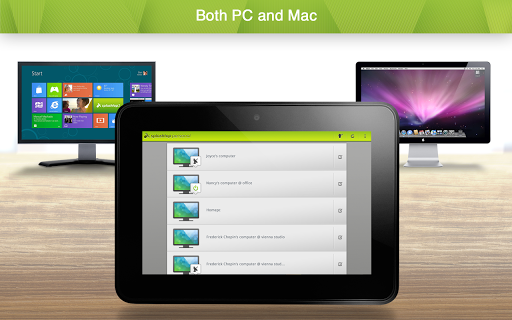
- Cross-platform (Windows, Mac, iOS)
- 4k quality at 60fps
- Low latency
- Blank screen
- Video rendering & resolution options
Why Splashtop?
- High performance and reliability
- Bank-grade security features
- Easy to install and use
- Seamless access to your computer
In-App Upgrades:
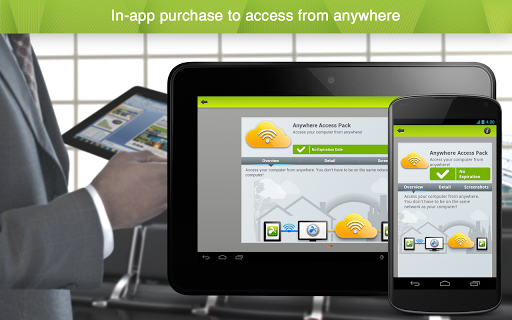
- Need to access your files across networks? The In-App purchase of our Anywhere Access Pack enables remote access from anywhere. Your data is always secure through our Splashtop Bridging Cloud™ technology.
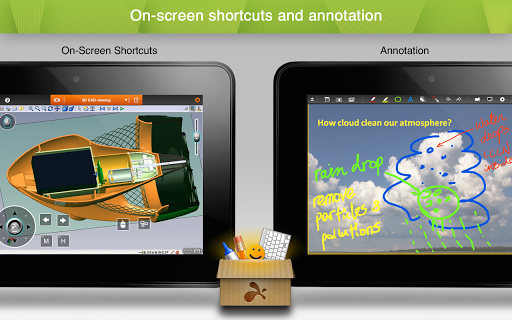
- Want live annotations and on-screen shortcuts for your iPad tablets? The In-App purchase of our Productivity Pack enables:
o On-screen shortcuts for Microsoft Office, games, media players, browsing, file navigation, and more
o A whiteboard to annotate over any live remote desktop screens
Splashtop Personal is for non-commercial use only. For commercial use that includes additional features such as file transfer, remote printing, chat, and more, try a free trial of Splashtop Business Access: https://www.splashtop.com/business
Average Rating
110.88K+
Rating Breakdown
Featured Reviews
By Dan Rogers
2025-10-08
Version 3.7.4.23
performance_and_bugspricingNot Bad. Almost Perfect. I have the personal version for less than $20/yr. I'm not complaining at all. There's a little trade off of picture quality for speed, but it's quite adequate. The controls are good once you understand them. Depending on what you are doing, it's really great, or it can be quite challenging if you're on your phone. Sometimes there's connection issues that seem to be related to the servers in between your client terminal and the slave at the other end. Well worth the cost!
By Calise Sellers
2025-09-17
Version 3.7.4.23
servicepricingperformance_and_bugscross_platform_consistencyHad used for years for free on the same network. Finally subscribed earlier this year and I use it *all the time.* So great to be able to use my much more powerful desktop computer, which stays at home, from my budget laptop and phone, able to run all my programs from anywhere. Wish I had subscribed years ago. Such a good value for being able to use it as much as I want to! With a good enough internet connection, I've been able to play games, watch videos, edit audio... Everything! Love it!
By Dan Rogers
2024-08-03
Version 3.6.4.19
Elegant, Clean, Simple, Intuitive, Reliable, Affordable...but... Previously, I've used TV (initials of competitive product) which was excellent. But it had some issues that sometimes prevented connecting--right when I needed it most. Splashtop Personal is all the things I said above. The down side is that you can only control one of your computers, so select wisely. If you want more, you have to buy another personal license and use a different email. It's a workaround, but isn't ideal.
Screenshots
AD
AD