MMGuardian Parental Control
MMGuardian.com
4.2
AD
Versionsdetails
| Herausgeberland | US |
| Veröffentlichungsdatum im Land | 2018-10-25 |
| Kategorien | Parenting |
| Länder / Regionen | US |
| Entwickler-Website | MMGuardian.com |
| Support-URL | MMGuardian.com |
| Inhaltsbewertung | Everyone |
AD
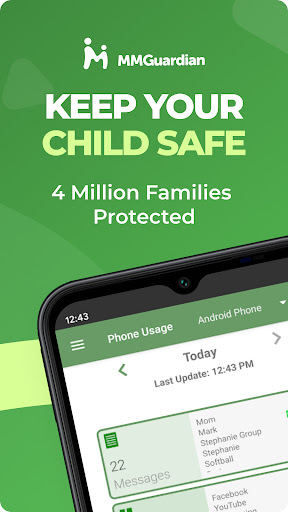
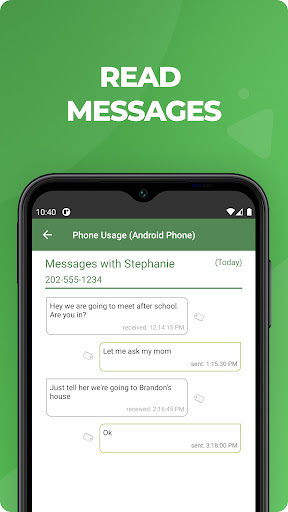
Use MMGuardian Parental Control on your child’s phone to view messages, receive safety alerts and set limits for screen time and app usage.
This is the app is for the parent’s phone - you must also install a different app on your child’s phone. If you install this app first, you will be guided on how to download the child phone app from the relevant app store for your child’s iPhone or Android phone.
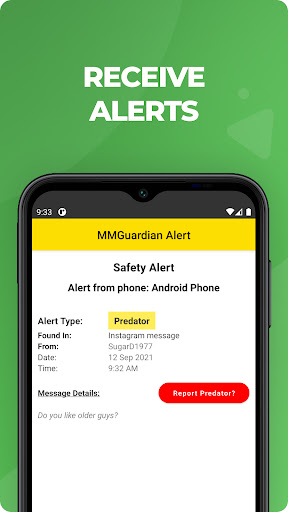
Receive alerts when your child’s text messages, certain social media chat messages or web searches are indicative of drugs, sexting, cyberbullying, child grooming, violence, suicidal thoughts and more.
What does MMGuardian Do?
With the MMGuardian Parental Control Child app installed to your child’s Android phone, you will also be able to monitor and block:
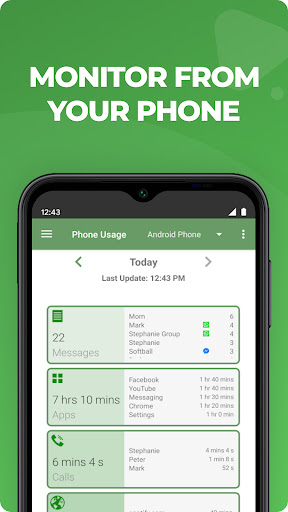
• SMS text messages
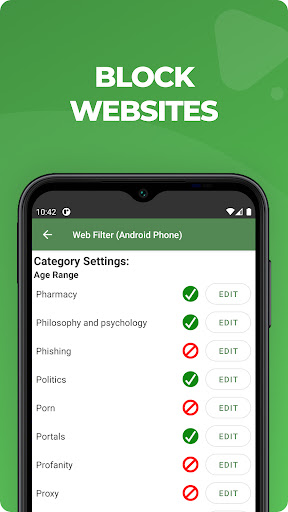
• Web browsing activity
• Application usage
• To whom phone calls are made
Social Media Chat Monitoring
In addition to normal SMS texts, chat messages from Facebook Messenger, WhatsApp, Snapchat, Instagram, Kik, TikTok and Discord are reported. Alerts will be sent to you if the content in a chat message appears to relate to one of nine special categories including sexting, cyberbullying and suicidal thoughts.
The benefits of using MMGuardian Parental Control when your child has an Android phone include:
• Alerting you when text messages or web searches are indicative of sexting, cyberbullying, suicidal thoughts and more.
• Alerting you when pictures on your child’s phone, or sent in an MMS message, are of an adult nature or indicative of sexting.
• Comprehensive reports for text messages, app usage, web browsing and voice calls.
Additional Functions
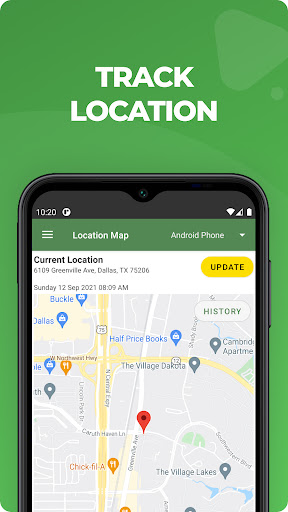
• Locate your child’s phone
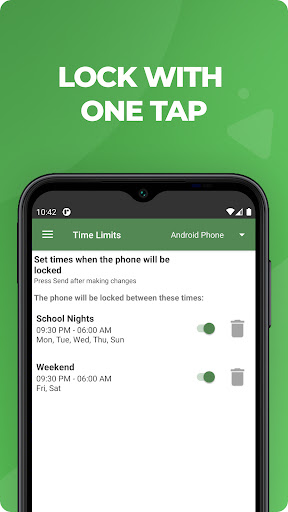
• Quickly lock or unlock your child’s phone
• Set limits for screen time, app usage, web filtering
This app on your phone and the one on your child’s phone must be registered using the same (parent’s) email address.
Both your phone and your child’s phone should have network data capability, as the app uses data to send and receive configuration commands, reports and alerts.
Free 14 day trial
After the free 14 day trial period of the app on the child’s phone has ended, unless the child phone app is licensed or has an ongoing subscription, the functions in this Parent App that relate to premium functions on the child’s app will be disabled. However you can still use MMGuardian to locate your child’s phone remotely.
Subscriptions
You may purchase a subscription to apply to the MMGuardian Parental Control app installed on your child’s phone from within this parent phone app. Subscriptions are $4.99/mo or $49.99/year for one child phone. Family plans for up to 5 child devices are twice these amounts.
We encourage parents to discuss the reasons to use a parent control app with their children, which include to help protect them from potential risks of their own actions and the actions of others, such as excessive screen time, cyberbullying and sexting.
Durchschnittsbewertung
26.46K+
Bewertungshäufigkeit
Ausgewählte Bewertungen
Von Kimberly Rash
2024-11-06
Version 3.7.22
contentnotificationsupdates_and_maintenanceIt is nice to be able to put restrictions on some things and sometimes get alerted if inappropriate messages are received. However, it misses a lot, frequently doesn't lock YouTube or games after the daily time limit is reached, and the technology and layout of the app hasn't been updated or improved since we first used it over 6 years ago for our oldest. At this point, there's probably more efficient programs out there.
Von Alex Hoenig
2024-10-30
Version 3.7.22
performance_and_bugssocial_and_communityIt's... Ok. It does what I want it to do, most of the time... But it's flaky. Sometimes it won't unlock when it's supposed to. Other times I catch my child playing on their phone in the middle of the night when it's supposed to be locked! Requesting reports takes forever, there's always a communication error the first couple times.
Von A Google user
2018-11-14
Version 3.5.5
social_and_communityperformance_and_bugsFor the most part, I think this is a great app. It has many good features like 'locate my child', inform me of texts that are being sent with key words of my choice, control and block apps that my children try to download, etc. My favorite part of the app was that you can set what time you want the kids phones blocked for the night but my children found a way around it! As long as their phone is off at the time the block starts, they can turn it back on after that time and there phone will not lock for the night. Could someone please take a look at this and try to fix it. The app doesn't do any good if the lock isn't working.
Screenshots

AD
AD